McAfee
F-Secure
AdBlock
In the world of Mobile gaming, Dr Driving is such a popular name that it needs no introduction. When this game first launched on the market, it completely changed the concept of traditional car racing games. Generally, in other racing games, fast speed, vehicle damage, and harmful stunts have been emphasized. But Dr Driving has changed the concept of racing games. Instead of speed, this game checks your driving skills, control of the steering, following traffic rules, and parking capability.
The main goal of this game is to teach how to drive like a responsible driver on narrow streets, traffic rush, and how to drive a car from difficult roads. In today’s world, where many games are large and drain the phone’s battery, the biggest advantage of this game is that it is very lightweight and uses low RAM and MBs. This game works smoothly even on small and old Android or iOS phones. Its simple and realistic style attracts people of every age.
Dr Driving Game is a popular driving simulation game developed by SUD Inc. Unlike traditional high-speed racing titles, it focuses on real-world urban navigation, precision steering, traffic management, and parking challenges. Players earn in-game rewards by completing designated missions, which allow them to upgrade car parts and purchase new vehicles.
| Feature | Details |
|---|---|
| Game Name | Dr. Driving |
| Developer | SUD Inc. |
| Game Type | Driving Simulation |
| Category | Racing / Simulation |
| Platform | Android, iOS |
| Gameplay | Car Driving & Missions |
| Game Mode | Single Player & Online Multiplayer |
| Internet | Offline & Online |
| Graphics | 3D Graphics |
| Price | Free |
| In-App Purchases | Yes |
| Ads | Yes |
Dr. Driving Technical Specifications
| Specification | Details |
|---|---|
| Latest Version | 1.73 |
| APK Size | Approx. 14 MB |
| Android Requirement | Android 6.0+ |
| License | Free |
| Content Rating | Teen |
| Package Name | com.ansangha.drdriving |
| Last Update | August 25, 2025 |
| Developer Website | SUD Inc. |
Dr Driving APK is a very popular and unique Mobile driving game that is completely different from traditional racing games. Usually in other racing games, you have to drive fast and overtake the other cars. But in Dr Driving t,he main focus is not on speed, but on your driving skills and precision. In this game, you get different and separate missions like driving a car by following traffic rules, saving fuel while driving, and parking the car safely even on narrow streets without any accidents.
Dr Driving Game Latest Version is best for those gamers who want to learn real-life driving rules and techniques on mobile. The control system is amazing, where the use of the steering, brake, and gas pedal is completely like a real car. Besides this, it runs smoothly on normal and low-end Android devices without any lag. Due to multiple modes, you can easily play and compete with your friends. If you want a game that is challenging and mind-using, then Dr Driving game 2026 is your best choice.
After so many years passed, Dr Driving Hack Mod APK is very popular now also, this is due to some specific reasons. The biggest reason is that this game is equally entertaining for people of all ages. Moreover, its gameplay is not boring like other games because in every mission, you get new challenges. Another reason is its lightweight size. This does not consume much space or storage and battery of your phone. That’s why it runs smoothly even on low-end devices. Apart from this, in this you complete missions like real-life driving, saves fuel and perfect parking. Simple controls and offline gameplay make it a favorite among today’s generation.
Realistic Steering Control
Dr Driving APK Mod Download Steering Control gives real car feelings. When you turn the phone, the steering wheel moves in the same way. This smooth control in Dr Driving teaches you how to drive on narrow streets.
Multi-Player Challenge Mode
You can play this game online and compete with your friends. Racing with other gamers makes gameplay more interesting and enjoyable. This mode checks your skills and how much you are better and safe from others.
Fuel Saving Missions
This feature of Dr Driving Mod, there is not only a goal to drive a car fastly from others, rather to save fuel is your biggest task. When you suddenly apply the brake or give a high race then fuel consumes fastly. This gives you a habit of slow and eco-friendly driving.
Coin Reward System
If you complete every mission with dignity and success, then you get coins. After collecting many coins, you can get new cars. Dr Driving Mod APK Unlimited Gold Coins Reward System helps you progress further in the game and unlock new levels.
Car Upgrades and Tuning
You can easily better the performance of your nearby cars. Rather than upgrading the engine or checking the braking system, everything is done easily. Due to this feature of Dr Driving, old cars also run like new ones.
Different Camera Angles
You can easily change the camera view according to your choice. Rather you watch the inside driving view or from outside, both are amazing to watch. With the help of different angles, parking and understanding the road becomes easier.
Offline Gameplay Support
There is no need for the internet every time to play this game. You can easily play this game while traveling without using an internet connection. This offline feature of Dr Driving Hack Mod 2026 is interesting for those gamers who want to save their internet data and enjoy gaming without any interruptions.
Battery Friendly Performance
This game consumes a very low amount of battery. After gaming for a long time, the phone does not heat up, and the battery does not drain either. Its optimized code easily runs on every type of lightweight Android phone.
Challenging Parking Levels
There are very difficult parking spots given in the gameplay where to park a car safely is a challenging task. You have to park your car without touching other cars or even the wall. This level improves your precision skills.
No Annoying Ads
Like other free games, there are no ads or pop-ups in Dr Driving Game Latest Version 2026. You can completely focus on your missions without any disturbance. This feature makes your driving experience even better and more peaceful.
The most popular and distinctive aspect of Dr Driving Online is its unique gameplay, which is totally different from other racing games. Here the goal is not to win or other cars left behind in the race, rather to respect the traffic rules, stay in speed limits and to drive safely. In every level, you get specific tasks like reaching the destination without an accident, parking the car safely in the right place in limited time, and reaching the destination without wasting fuel.
In this game, gamers are penalized for every mistake; that’s why players take care of everything as if it were real. These unique and mind-using styles do not make it boring, and gamers get new challenges on every task completion.
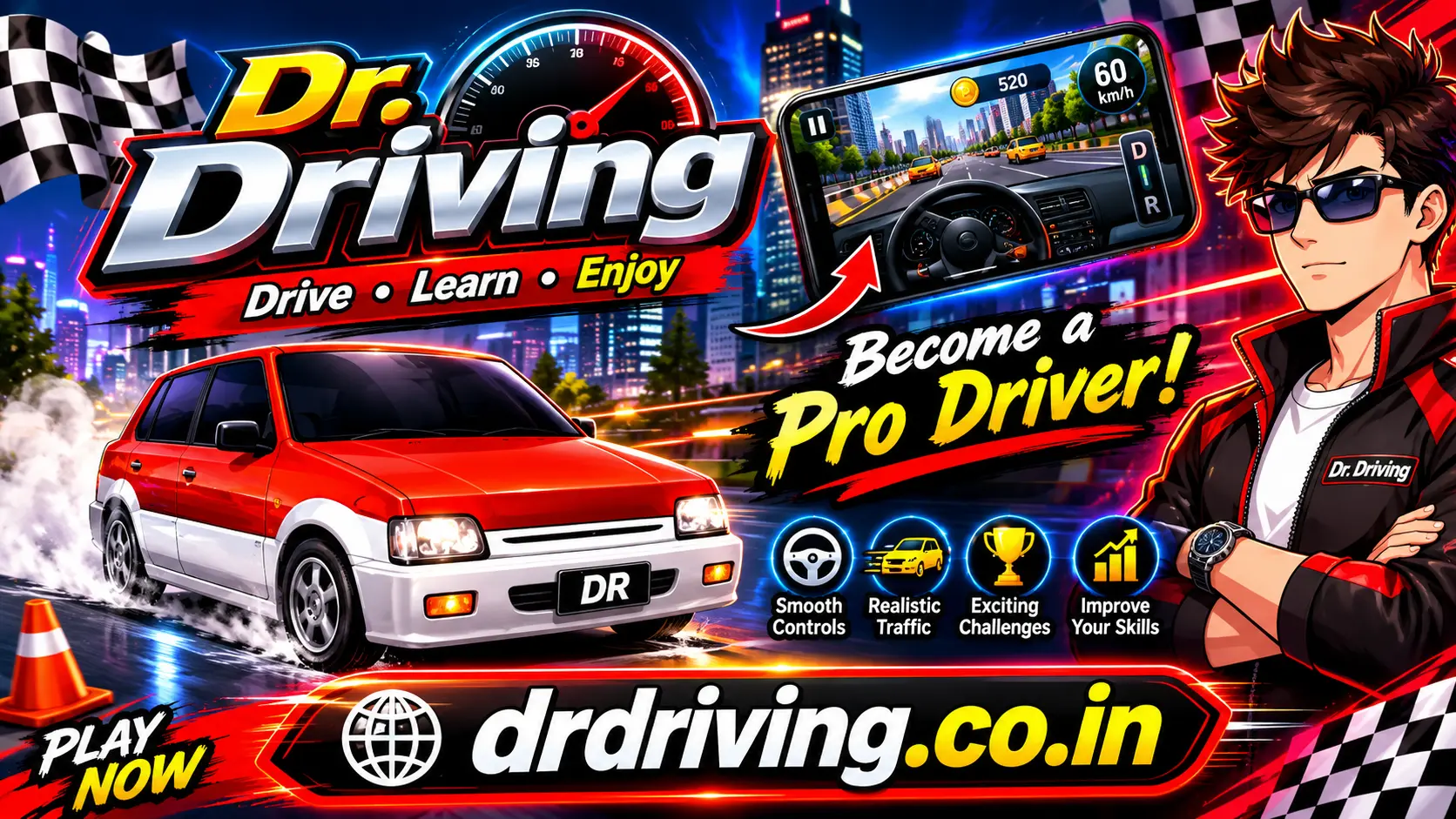
Dr Driving Download Latest Version on your Android phone is simple and takes just a few moments. If you are downloading the standard version, open the Google Play Store, search for the game title, and hit install. If you choose to download the APK file from a trusted third-party website, follow these straightforward steps:
- Open your phone settings and navigate to the security or privacy menu.
- Enable the option to allow installations from unknown sources so your browser can process the file.
- Download the APK file onto your device through your preferred internet browser.
- Locate the downloaded file in your file manager and tap it to start installation.
- Launch the game once installation finishes, grant any required permissions, and start driving.
Playing this driving simulator on a desktop screen gives you better control and a larger view. Since the game was built for mobile operating systems, running it on a computer requires a software emulator like BlueStacks or LDPlayer. Follow this simple setup process:
- Download and install a reliable Android emulator on your PC or laptop.
- Launch the emulator and complete the initial setup by signing in with your Google account.
- Open the built-in app store inside the emulator interface.
- Type Dr Driving APK download into the search bar, select the official game, and click the install button.
- Once the setup completes, open the game from the emulator home screen, configure your keyboard controls, and enjoy smooth desktop gameplay.
In Dr Driving Mod, along with the base version, you also get some extra files and additional content that further enhance your overall gameplay experience. When you play the game with a new update, you get new options like a custom sound pack, specialized car skills, and new city maps that are unlocked automatically.
This additional downloadable content (DLC) adds new missions and challenges to your game so that you do not get bored. The best thing about this game is that, to download those extra files, you do not need much internet. All these extra game assets and files are completely lightweight and fit easily in your device’s memory.
In Dr Driving Hack, you are not only limited to driving ordinary cars. Instead, you get to enjoy exploring different types of vehicles and rides. From small family cars to public transport and heavy vehicles, every ride has a different driving experience. You get different vehicles in different missions,s so their handling methods are also different from one another. In some levels, gamers have to get out of the car through tight spaces, and in others, you have to show your skills by controlling large vehicles. This variety maintains the player’s interest. Furthermore, it teaches how to manage cars on the road in real life.
Game Modes
- Career Mode
This mode is best for those who want to learn driving step-by-step from the start. Here, you go from easy to difficult missions. After completing every level, you get coins and rewards which help in purchasing new cars.
- Speed Run Mode
If you want to check your driving speed and reflexes, then this mode is best for you. Here, you have to reach your destination within a limited time. Even a little carelessness or collision can waste all your time.
- Parking Challenge Mode
This mode tests your accuracy and true control. You have to park your car in difficult and narrow corners without any stress. This improves your real-life parking skills, and this method increases your mental engagement.
Missions and Multiplayer Features
Every mission in Dr Driving Game Latest Version gives you new tasks like driving safely by following traffic rules, reaching your destination without any accident, or finishing the task within a specific time limit. These missions do not get you bored.
With the help of Multiplayer features, you can compete easily with your friends and with other people online. This doubles the fun of gaming by racing and beating high scores. This feature gives you an opportunity to improve your driving skills.
Visual Graphics and Environment
The graphics of Dr Driving 3D Game APK are clean, clear, and simple. They can run smoothly even on low-end Android devices without any lag. The mix of 2D and 3D views shows the city roads and Traffic in a very good way. In this feature, everything is easy to see. Hence, players do not face any difficulty while looking at roads or traffic signals during driving.
Responsive Touch and Steering Controls
Touch and controls are the best features of this game. They feel very natural and easy to use. Players can control the car using the steering wheel, accelerator, and brake pedals, which are on the screen. The response is very fast,t and even a light touch makes the car respond immediately. Dr Driving App gives players better control during driving.
Realistic Sound Effects and Audio
The sound effects make the game feel even more realistic. The sound of starting the car, changing gears, and applying the brakes feels just like a real car is starting. The background music is also calm and relaxing. Hence, it does not distract players. This feature helps them stay focused on driving.
Inside Dr Driving Mod APK unlimited money, there is an in-game currency and gold system that is made very simple and interesting. When you win different missions and challenges with success, then in rewards you get coins and gold. This earned money saved in your account which you use by your choice. The main reason for this currency is to unlock new and better-performing cars. Apart from this, if you want to upgrade your latest car’s brakes, speed, and engine, then these coins are used. On some levels, if you save fuel and drive better, then you get some extra coins which increase your earning very much.
Smooth Driving
For the sake of winning the competition, do not rush while driving Dr Driving Car. Control becomes better when you drive the car smoothly. And you also avoid accidents.
Save Fuel
In every level, there is limited fuel. If the path is clear, then drive fast, and on turns or in a traffic area, lift off the accelerator and slowly use the brake so that fuel is not wasted.
Upgrade Cheap Vehicles
In the starting levels, the coins you earn are not worth high-value cars. First, upgrade the brakes and speed of your basic cars so that they drive fast and clear the missions easily.
Parking
Change your camera view during parking cars on the difficult parking spots. With this, the road behind and the distance are clearly visible to you, and cars park easily without any stress.
Signals and Traffic Rules
If you break the red light on the road and drive in the wrong direction, then you get a penalty and you fail in the mission. Time sis savedwhen you follow the rules and get rewards.
Car Selection
In Dr Driving Bus firstly, select the car whose radius is small and which drives easily on narrow roads. When you earn more coins, then shift to heavy and fast speed cars.
| Features | Original APK | Mod APK |
|---|---|---|
| Game Version | Official Version | Modified Version |
| Developer | SUD Inc. | Third-Party Developers |
| In-Game Money | Earn through missions | Unlimited Money (if supported) |
| Gold Coins | Earn through gameplay | Unlimited Gold (if supported) |
| Cars | Unlock through progress | May include unlocked cars |
| Advertisements | Contains Ads | Ads may be removed |
| Car Upgrades | Progress-based | May be unlocked |
| Gameplay | Original Experience | Modified Experience |
| Multiplayer | Official Support | May not work properly |
| Offline Mode | Available | Depends on the Mod |
| Updates | Official Updates | Manual Updates |
| Security | More Trustworthy | Potential Security Risks |
| Game Stability | Officially Maintained | May contain bugs |
| Installation | Google Play Store | Third-Party APK |
Unlimited Money
Running out of coins or gold in the standard version can slow down your game progress significantly. With the Dr Driving Unlimited Money feature, you receive endless in-game currency right from the moment you launch the app. This allows you to upgrade vehicle engine power, improve braking efficiency, and fix damage instantly without grinding through difficult driving missions. You can focus purely on completing challenges and refining your virtual driving skills smoothly.
All Cars Unlocked
Unlocking premium vehicles usually requires completing dozens of repetitive stages or spending real money on microtransactions. The all cars unlocked feature gives you instant access to every sedan, sports car, and utility vehicle in the game garage. You can freely select high-performance cars right from the start, test their unique handling characteristics, and compare their top speeds across different city tracks without waiting to hit specific level milestones.
No Ads
Frequent pop-up advertisements and video interruptions can easily ruin the immersive feel of a driving simulation. The no ads feature completely strips away all promotional banners, forced video clips, and post-mission pop-ups. Dr Driving Mod APK download creates a clean, distraction-free gaming environment where you can move seamlessly between levels, retry challenging parking tasks without annoying delays, and enjoy uninterrupted gameplay from start to finish.
Downloading modified versions or hack tools for Dr.Driving exposes your mobile device and personal privacy to severe security threats. Third-party websites hosting modified files often inject malware, spyware, or malicious code that can compromise sensitive personal data, harvest private credentials, or degrade smartphone performance.
From a legal and policy standpoint, using modified applications violates the developer’s terms of service and intellectual property rights. Game studios actively monitor unauthorized code modifications and server breaches; detecting an altered client frequently leads to immediate, permanent account bans and device hardware blacklisting. Beyond legal and technical dangers, skipping core game mechanics undermines fair play, removes developer financial support, and ultimately ruins the natural reward system built into the game.
Advantages
Using a Dr Driving Hack Mod version offers immediate access to features that normally require extensive grinding or real money purchases. You gain instant access to unlimited virtual resources, premium vehicles, and unlocked game levels right from the start. This allows you to explore the complete game content without any waiting periods or financial constraints. Additionally, removing annoying advertisements creates a seamless gameplay experience, letting you focus entirely on improving your driving skills and enjoying uninterrupted mobile gaming sessions.
Disadvantages
Downloading modified applications carries notable risks to your device’s safety and online accounts. Third-party installation files often bypass official security checks, exposing your phone to potential malware, viruses, or data privacy breaches. Game developers also monitor unauthorized modifications, which can result in temporary or permanent bans on your official gaming accounts. Furthermore, having every feature unlocked immediately removes the sense of progression and challenge, making the overall gameplay experience feel repetitive and less rewarding over time.
App Crashing or Force Closing
Unexpected crashes usually stem from insufficient RAM or an outdated system cache. Open your phone settings, navigate to the app manager, locate Dr Driving Game Hack, and clear the cache. Restarting your device clears temporary system files, frees up background memory, and stabilizes game performance for smoother, uninterrupted driving sessions.
Installation Failed Error
This error occurs when your device blocks installation files from outside Google Play or if an older game version exists. Ensure you enable installations from unknown sources in your security settings. Additionally, completely uninstall any previous version of the game before tapping the new installation file to prevent system file conflicts.
Black Screen on Launch
A persistent black screen indicates corrupted installation files or hardware incompatibility with your Android graphics processor. To fix this, force-stop the Dr Driving APK old version, clear stored data, and launch the game again. If the issue continues, re-download the file from a reliable source to replace damaged installation files.
Game Controls Lagging or Unresponsive
Laggy steering or delayed braking usually results from excessive background applications consuming processing power. Close all active background apps to free up system resources. Lowering your phone screen resolution or disabling battery saver mode also helps maintain high frame rates, restoring instant touch response during driving challenges.
Game Progress Not Saving
Failing to save progress occurs when the app lacks storage access or cannot connect to local data directories. Check your phone settings to verify that APK Dr Driving has proper storage permissions enabled. Avoid clearing app data manually after playing, as doing so permanently deletes locally saved progress and unlocked items.
| Features | Dr Driving | Traffic Racer | Car Parking Multiplayer | Real Driving School |
|---|---|---|---|---|
| Game Type | Driving Simulator | Racing Game | Car Simulator | Driving Simulator |
| Graphics | Simple 3D | 3D Graphics | Realistic 3D | Realistic 3D |
| Gameplay | Driving Missions | Highway Racing | Open-World Driving | Driving Challenges |
| Parking Mode | Yes | No | Yes | Yes |
| Multiplayer | Yes | No | Yes | Yes |
| Offline Mode | Yes | Yes | Limited | Yes |
| Car Collection | Limited | Multiple Cars | Large Collection | Multiple Cars |
| Open World | No | No | Yes | Limited |
| Controls | Simple | Easy | Advanced | Realistic |
| Main Focus | Driving Skills | High-Speed Racing | Car Exploration | Driving Practice |
| Best For | Casual Players | Racing Lovers | Open-World Fans | Driving Simulation |
Dr Parking 4
Dr Drive APK is also made by the same developers and is the best choice for people who want to play parking games. In this game, you have to park your car at the correct angle in different difficult places. Its graphics and the realistic controls help you to improve your parking skills.
Real Car Parking 2
If you are a lover of 3D graphics and modern cars, then you will really enjoy this game. Here, you can drive a car just like in real life by using mirrors, indicators, and wipers. Its Multiplayer mode is also fun to play with your friends and with other online players.
Driving School Sim
Dr Driving Hack Mod APK is perfect for people who want to learn the real driving rules and regulations. It teaches you how to use manual transmission, the clutch, and follow traffic signs. Here, you also get the chance to drive many different types of cars and trucks.
Car Parking Multiplayer
This game is not only about parking. You can also drive around in an open world, explore different places with your friends online, customize your vehicles and also refill fuel at gas stations. This game offers a complete driving experience.
- Dr Driving 3D has simple and easy-to-understand gameplay.
- Its smooth controls and graphics make driving easy for beginners.
- The game size is very small, and it does not take much storage space on your Android device.
- It works on phones with limited RAM and plays on low-end Android devices as well.
- This game helps the players to learn and understand basic driving and parking skills.
- Different cars and missions make the game interesting, and gamers do not get bored.
- It does not require a strong internet connection to play.
- Its graphics are too simple when compared with modern driving games.
- There are limited options for car customization.
- Some levels can become repetitive after playing for a while.
- This game contains ads that may interrupt the gamer’s experience.
Dr Driving 3D Game remains one of the most engaging mobile driving simulators, offering realistic physics and challenging city navigation tasks. While downloading third-party APKs or modified versions provides quick access to unlocked cars, unlimited currency, and an ad-free experience, it is essential to weigh these perks against potential security threats, device risks, and account bans. Relying on official application sources ensures maximum device safety, full developer support, and authentic game progression. Whether playing on a smartphone or using a PC emulator, understanding proper installation steps and basic troubleshooting techniques will guarantee a smooth, safe, and enjoyable virtual driving experience.
Is Dr Driving free to play and download?
Yes, this game is completely free. You can easily download it fromthe Google Play Store or App Store without any charges.
Can I play Dr Driving offline without an internet connection?
Yes, this plays offline also. You have to download it and then use it any time without internet or Wi-Fi.
How can I get more coins and gold in the game?
Complete the missions and get a daily login bonus. Drive safely and save fuel to get extra coins and gold.
Does Dr Driving work smoothly on low-end mobile phones?
Yes, its file size is very small. This works smoothly on low RAM and old Android phones also.
How is Dr Driving different from other car racing games?
Instead of fast driving, the complete focus of this game is on learning driving skills, traffic rules, fuel saving, a nd correct parking.
How can I upgrade my cars in the game?
You can upgrade your car’s engine, brakes, and steering by earning coins and gold so that your performance becomes better.